
Appearance
Team & Workload — Agency Orchestration
See whether the agency has the capacity it needs: producer load, service and VA queues, AI agents, and the economics of each producer's book. The header shows Producers, Utilization and Rank.
Used most by: Agency owner / COO, service leader, sales leader
Producer Load
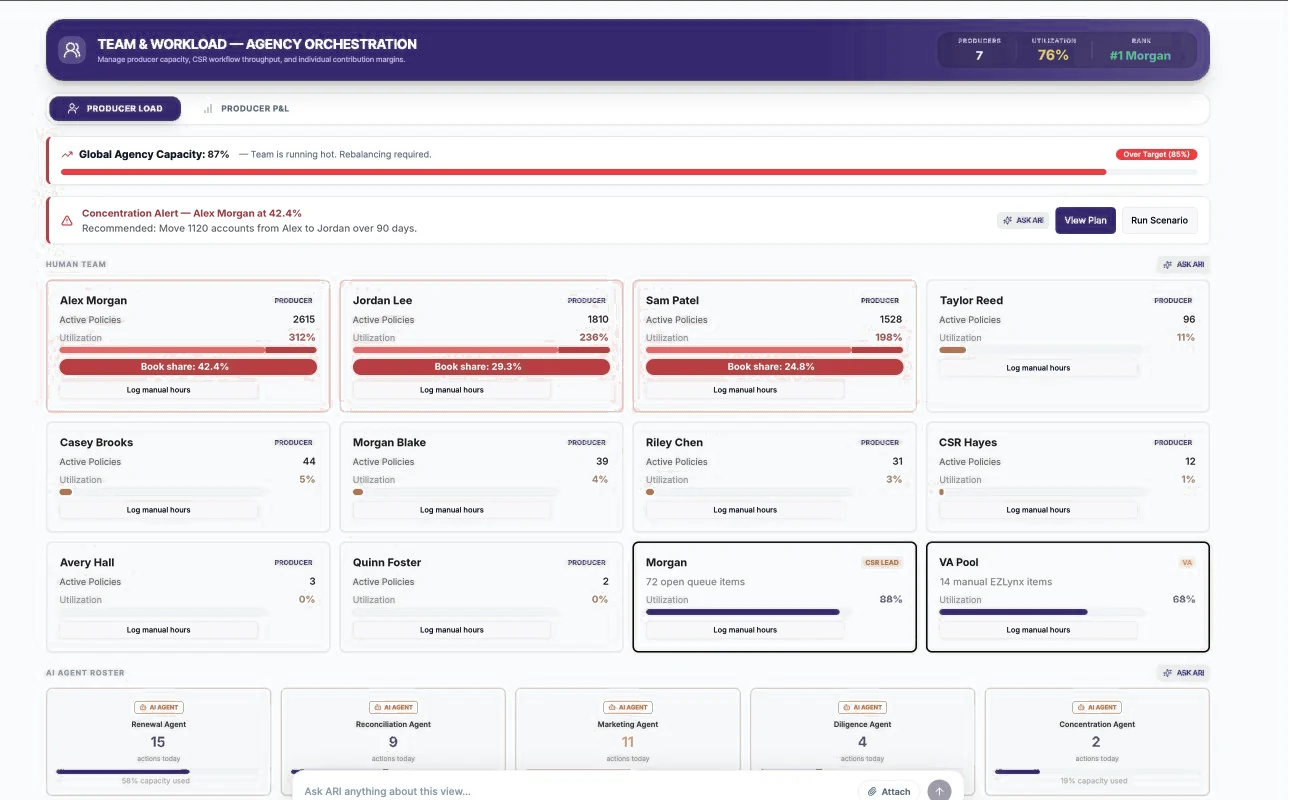
| # | Area | What you see | What you can do |
|---|---|---|---|
| 1 | Global Agency Capacity | Overall utilization against the target (e.g. Over Target (85%)) | Know when the team is running hot |
| 2 | Concentration Alert | The producer with the largest book share and a recommended rebalancing | View Plan, Run Scenario, ASK ARI |
| 3 | Human Team | A card per producer: Active Policies, Utilization, Book share | Log manual hours to record work outside the systems |
| 4 | CSR Lead and VA Pool | Open queue items and manual EZLynx items, with utilization | Spot service bottlenecks |
| 5 | AI Agent Roster | Each agent's actions today and capacity used | See how much work agents are handling |
Explore a rebalancing scenario
- Open Team & Workload › Producer Load.
- In the Concentration Alert, click View Plan to see the recommendation.
- Click Run Scenario to see the effect of moving accounts between producers.
- Discuss with the producers involved; no accounts move until you decide and update ownership in your systems.
Log manual hours
- Find your card (or your team's card) under Human Team.
- Click Log manual hours and enter the time spent on work not captured elsewhere.
Good to know
Utilization is currently estimated mainly from active policy counts, so producers with large personal-lines books can show more than 100%. Use it to compare relative load rather than as an exact measure of hours.
Producer P&L
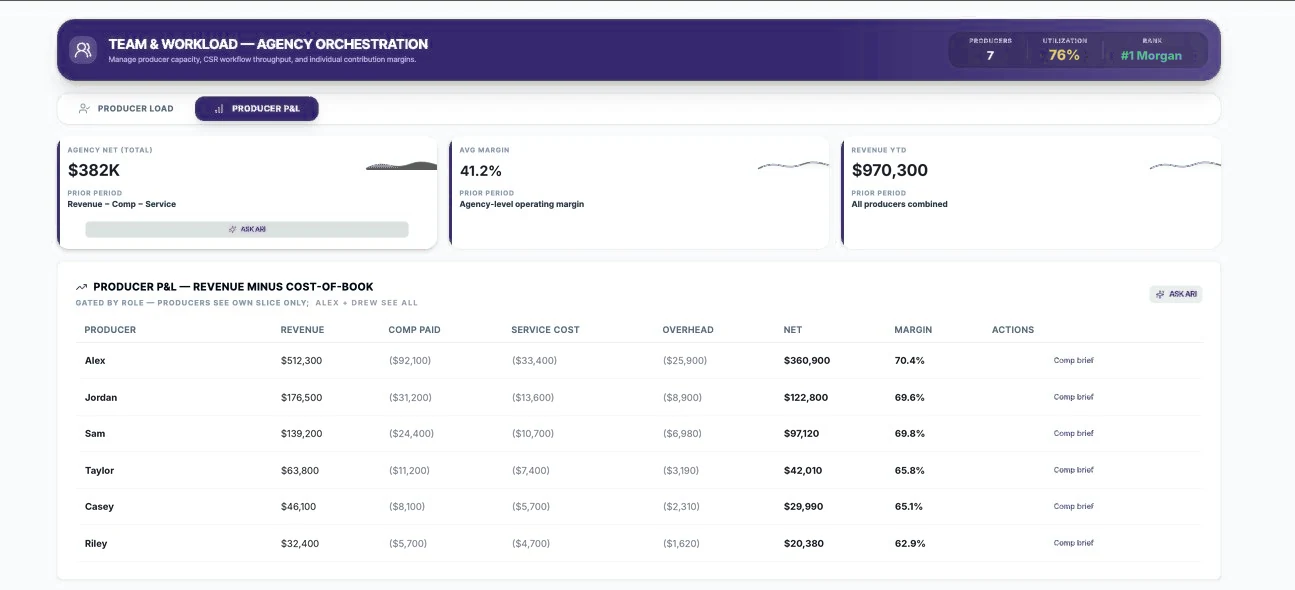
| # | Area | What you see | What you can do |
|---|---|---|---|
| 1 | KPI cards | Agency Net (Total), Avg Margin, Revenue YTD | Overall producer economics |
| 2 | Producer table | Revenue, Comp Paid, Service Cost, Overhead, Net, Margin | Comp brief for a producer's compensation summary |
Net = Revenue − Comp Paid − Service Cost − Overhead. Margin = Net ÷ Revenue. Producers see only their own row; leadership sees all rows.
Coming soon
- A configurable workload model per role (lines of business, renewals, open work items, hours) instead of policy counts.
- Reassigning work between producers, CSRs, VAs and agents from one shared work queue.
- Agent capacity measured in the same units of work as people.